Tokenizing Credit Cards
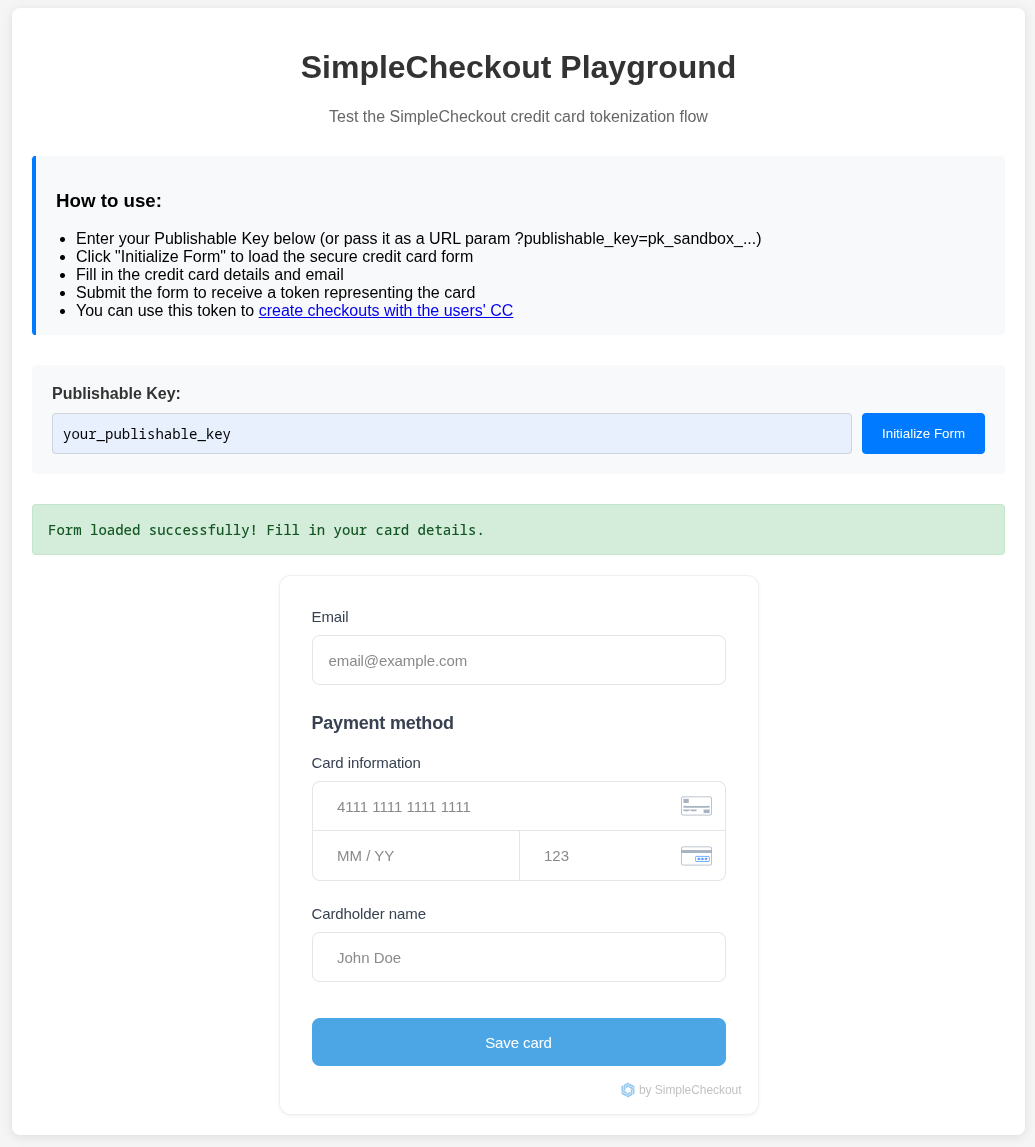
SimpleCheckout lets you securely collect and store credit card information without the compliance headaches. Test the tokenization flow at https://playground.simplecheckout.ai
Why Tokenization?
When customers enter their credit card details, SimpleCheckout immediately converts them into a secure token. The actual card data goes directly to our PCI-compliant vault - it never touches your servers. This means:
- No PCI compliance burden - You don't need expensive security audits
- Reduced security risk - No sensitive data in your database
- Same user experience - Customers see a normal payment form
Quick Start
- Get your publishable key from the API Keys page (starts with
pk_sandbox_) - Enter the key in the playground and click "Initialize Form"
- Fill the form with test card details:
- Card:
4242 4242 4242 4242 - Expiry: Any future date
- CVC: Any 3 digits
- Name: Any name
- Email: Any email
- Card:
- Submit to receive a token like
cct_sandbox_xyz123
Using the Token
The token represents the stored card. Use it in the user_data when creating checkouts:
{
  "url": "https://example.com/product",
  "user_data": {
    "email": "[email protected]",
    "credit_card_token": "cct_sandbox_xyz123"
  }
}
What Happens Behind the Scenes
When a customer submits their card, here's what happens:
- Card data goes directly to our secure vault (never to your servers)
- You receive a token like
cct_sandbox_xyz123 - Use the token for future purchases - it works just like the original card
This approach means you're automatically PCI compliant without any additional work on your end.
SDK Integration
You can also embed the CC Input Form form directly into your app with our TypeScript SDK:
// Initialize SimpleCheckout with your publishable key
const simplecheckout = new SimpleCheckout('pk_sandbox_xxxx');

// Create and mount a credit card form
const creditCardForm = await simplecheckout.initEmbeddedCreditCardForm({
  customerId: 'customer_uuid',  // Required: Your customer's unique identifier
  onSuccess: (result) => {
    console.log('Card stored! Token:', result.token);
    // Use result.token in your checkout API calls
  },
  onError: (error) => {
    console.error('Error:', error.message);
  }
});

// Mount the form to a container
creditCardForm.mount('#container');
Parameters:
customerId(required): Your customer's unique identifier. This associates the card token with a specific customer in your system.onSuccess(optional): Callback function called when the card is successfully tokenizedonError(optional): Callback function called when an error occursstyling(optional): Custom CSS styling for the form fields
HTML Container:
<div id="container"></div>
Full documentation: npmjs.com/package/simplecheckout-sdk