Connecting Customer Accounts
SimpleCheckout lets you connect your customers' accounts with third-party e-commerce shops. Once connected, you can interact with these services through our API to complete checkouts using the user's saved payment methods and shipping addresses, access their loyalty points, and fetch their order history.
Why Connect Accounts?
When customers connect their shop accounts, you unlock powerful capabilities:
- Complete checkouts with their account - Users keep their loyalty points, rewards, and saved payment methods
- Access order history - Fetch past purchases from any connected e-commerce store using the List Account Orders API
- Use saved information - Leverage shipping addresses and payment methods already stored in their profiles
- Personalized experiences - Build shopping assistants that understand customer preferences and purchase history
Your application never handles or stores sensitive authentication data. SimpleCheckout manages everything securely.
Quick Start
- Get your publishable key from the API Keys page (starts with
pk_sandbox_) - Create a customer in your system (see Customer Management)
- Get a login source ID for the shop you want to connect (e.g., Revolve, Nike, etc.)
- Initialize the connection form using the SDK or playground
- Receive account ID - Use it to interact with that e-commerce service through our API
How It Works
The account connection process is simple and secure:
- Form displays - Your customer sees a branded login form for the e-commerce shop
- Customer authenticates - They enter their credentials securely (you never see or store these)
- Account linked - SimpleCheckout securely stores the connection and returns an account ID
- Ready to use - You can now use this account ID with our API for checkouts and order fetching
All authentication data is encrypted and managed by SimpleCheckout. Your application only receives an account ID to reference the connection.
SDK Integration
With our TypeScript SDK, you can craft forms in your app where users can securely link their accounts. Upon a successful connection, the SDK will return an account object. You can see a live example in our playground.
Here's the flow you can build, as demonstrated in the playground:
-
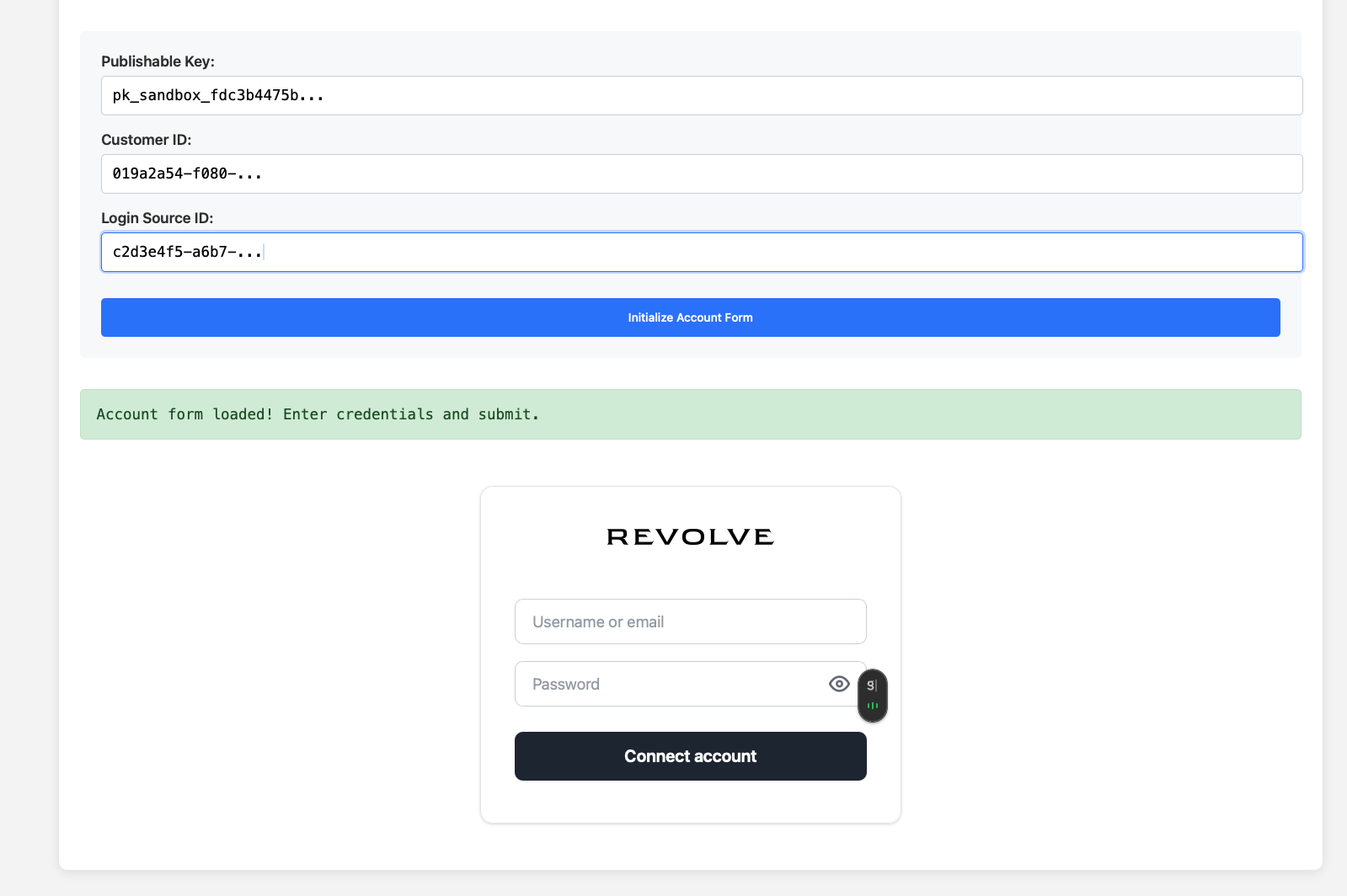
Initialize the form: Use the SDK to generate the account connection form.
-
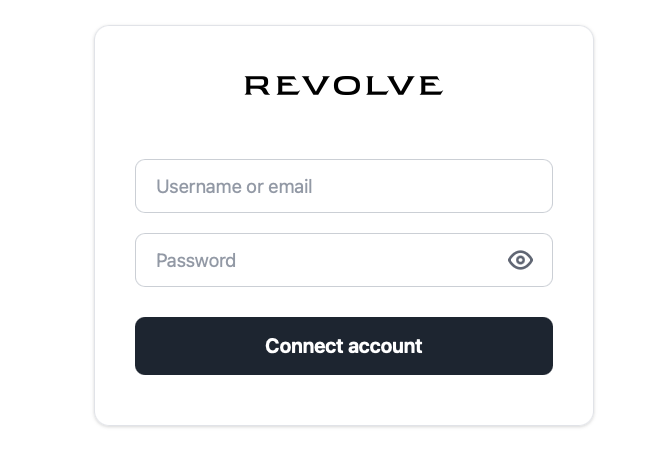
Connect Account: Your customer securely enters their credentials.
-
Receive the Account Object: The
onSuccesscallback provides the account details.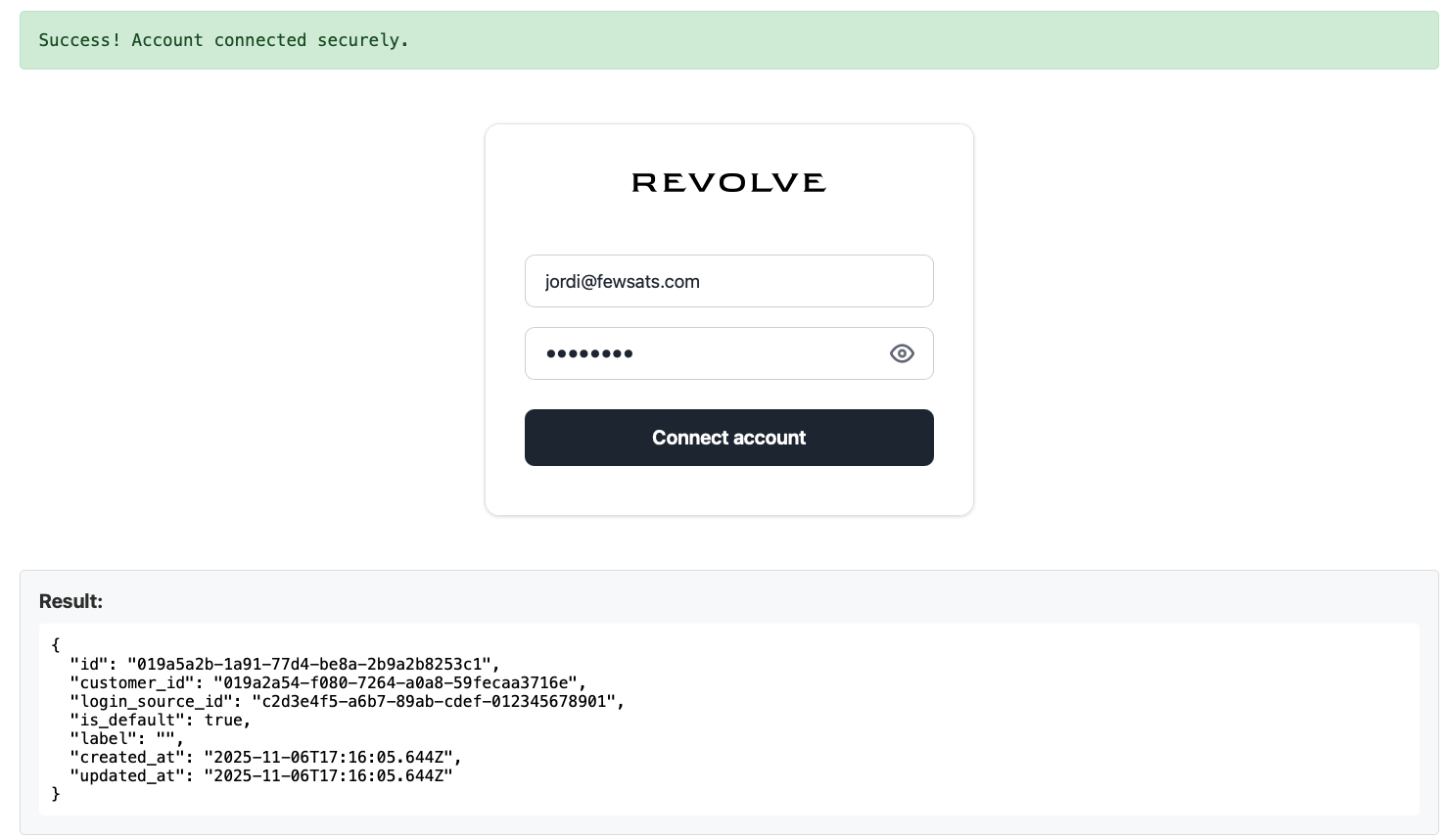
Here's how you can embbed the form in your application
// Initialize SimpleCheckout with your publishable key
const simplecheckout = new SimpleCheckout('pk_sandbox_xxxx');

// Create and mount an account connection iframe
const accountIframe = await simplecheckout.initAccountIframe({
  customerId: 'customer_uuid',       // Your customer's ID
  loginSourceId: 'login_source_uuid', // The shop/service ID
  onSuccess: (result) => {
    // Account connected successfully
    console.log('Account ID:', result.id);
    // Now you can use this account ID with the API
  },
  onError: (error) => {
    console.error('Connection failed:', error.message);
  }
});

// Mount the iframe to a container
accountIframe.mount('#account-container');
HTML Container:
<div id="account-container"></div>
Response: When the account is successfully connected, you receive an account object in the success callback:
{
  "id": "019a5a2b-1a91-77d4-be8a-2b9a2b8253c1",
  "customer_id": "019a2a54-f080-7264-a0a8-59fecaa3716e",
  "login_source_id": "c2d3e4f5-a6b7-89ab-cdef-012345678901",
  "is_default": true,
  "label": "",
  "created_at": "2025-11-06T17:16:05.644Z",
  "updated_at": "2025-11-06T17:16:05.644Z"
}
Use the id field to reference this account when making API calls for checkouts or fetching orders.
Full documentation: npmjs.com/package/simplecheckout-sdk