CVC Verification
You can reuse credit card tokens. Before using an existing token, check that it's payment‑ready.
For security reasons, there may be occasions when the customer is asked to briefly re‑enter their CVC to confirm a purchase—typically when additional verification is recommended by payment networks or when a token hasn't been used recently.
Check Payment Readiness
Before using an existing credit card token for checkout, check if it's payment-ready:
curl -H "api-key: YOUR_API_KEY" \
  "https://api.simplecheckout.ai/v0/payment-ready?credit_card_token=cct_sandbox_xyz123"
If the payment is ready, you'll get:
{
  "payment_ready": true
}
Note: New tokens are always ready - verification is only needed for reused tokens.
Handle CVC Verification
If CVC verification is needed, the response includes a verification URL:
{
  "payment_ready": false,
  "verification_url": "https://verify.simplecheckout.ai/?code=abc123"
}
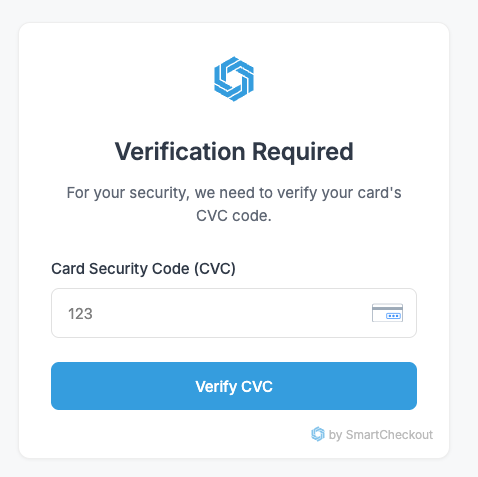
When customers visit this URL, they'll see a secure, PCI-compliant form to enter their CVC:
After successful verification, customers can close the window and your checkout can proceed:
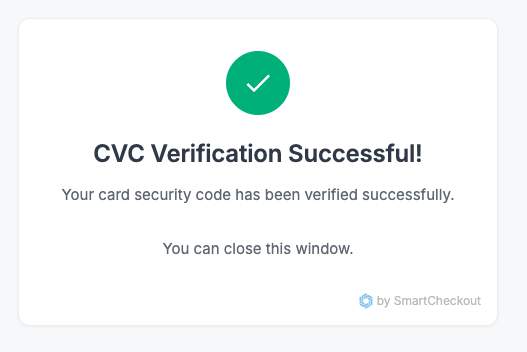
Each verification code is one-time use and time-limited for security. The token is now refreshed and ready for processing.
SDK Integration
You can also embed the CVC verification form directly into your app with our TypeScript SDK:
// Initialize SimpleCheckout with your publishable key
const simplecheckout = new SimpleCheckout('pk_sandbox_xxxx');

// Create and mount a CVC verification form
const cvcForm = await simplecheckout.initCVCVerificationForm({
  code: 'verification_code_from_url',
  onSuccess: (result) => {
    console.log('CVC verified successfully!');
  },
  onError: (error) => {
    console.error('Verification failed:', error.message);
  }
});

// Mount the form to a container
cvcForm.mount('#container');
Full documentation: npmjs.com/package/simplecheckout-sdk